
MarteThoresen53_small-1.jpg)
Previous posts in this series have covered how to assess mitochondrial function using your Moxy. But before you can run that analysis, there is one critical setup step: your Moxy needs to be sampling at 10Hz (one data point every 0.1 seconds). At the default sampling rate of 0.5Hz, you only get one data point every two seconds which is not nearly enough resolution to capture the rapid SmO2 changes that occur during short arterial occlusions or sprint efforts. Running at 10Hz gives you the data density needed for accurate analysis.
This post will walk you through exactly how to turn on 10Hz sampling and how to collect that data properly.
Why 10Hz?
The Moxy's default sampling rate is 0.5Hz, or one measurement every two seconds. For general training monitoring, that is usually sufficient. But certain analyses, particularly the mitochondrial function protocol using transient arterial occlusions, require a much higher sampling rate, e.g., 10Hz. During that protocol, blood flow to the muscle is briefly blocked for as little as five seconds at a time. At 0.5Hz, you might only capture two or three data points during that window. At 10Hz, you capture 30-50 data points which allows for enough fidelity to complete the mitochondrial function analysis.
Part 1: Setting Up 10Hz Sampling in the Moxy Portal
You will need the Moxy Portal app (smartphone or tablet). Create an account if you do not already have one.
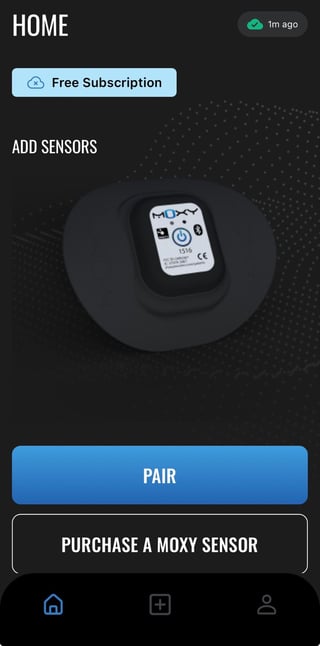
- Go to the Moxy Portal Home Screen on your smartphone or tablet. If this is your first time signing on to the app click “Pair”
- Click “Pair Sensors”
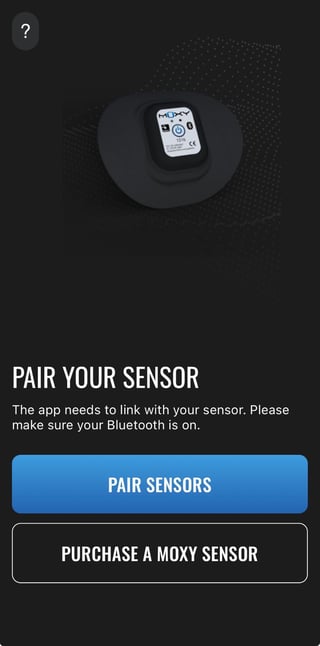
- Turn on your Device by pressing and holding the power button for 2-3 seconds the LED at the front of the sensor should blink red.
- Click the + button next to the Moxy Sensor
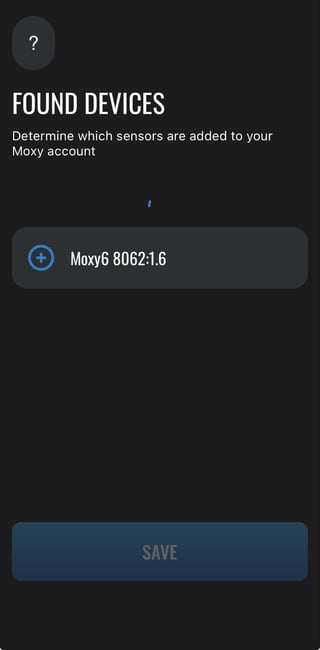
- You can add location for record keeping purposes
- Press Save at the Bottom of the Screen
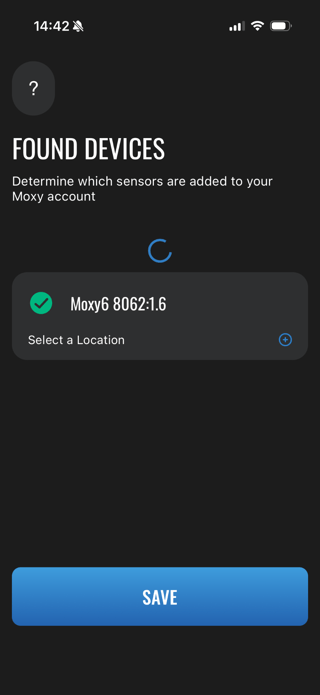
- You will be navigated back to the home screen
- Click Connect
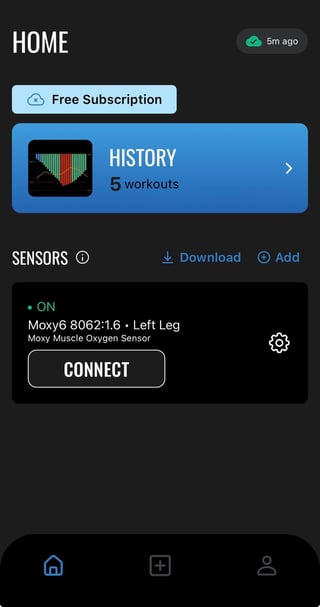
- Click the settings cog next to your connected Moxy
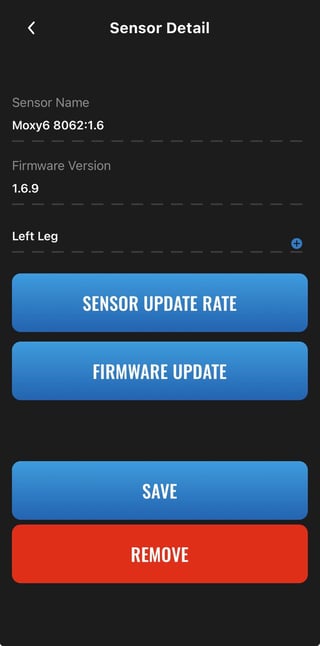
- Click sensor update rate
- Select 0.1 sec. No Smoothing (10Hz)
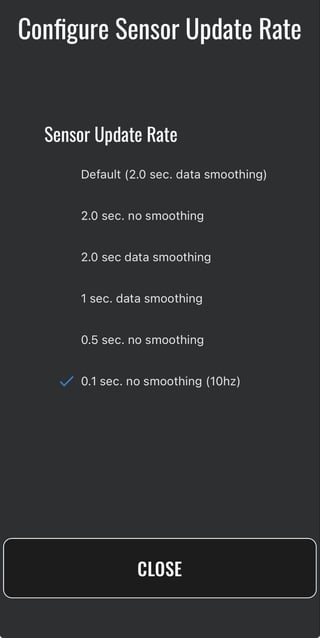
- Click Close
- Click the back button to go back to the Home Screen
- IF 0.1 sec. Update rate is not an option
- Update your Firmware
-
- Turn on your Device by pressing and holding the power button for 2-3 seconds
- Click Connect
- Click the settings cog next to your connected Moxy
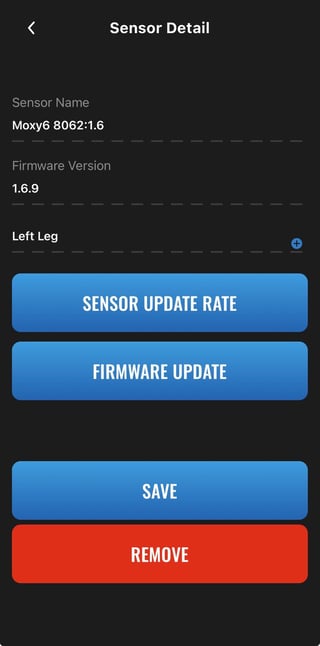
- Click sensor update rate
- Select 0.1 sec. No Smoothing (10Hz)
- Click Close
- Click the back button to go back to the Home Screen
- IF 0.1 sec. Update rate is not an option
- Update your Firmware
Part 2: How to Collect 10Hz Data
Now that your Moxy is set to 10Hz, you need to make sure you are collecting data in a way that preserves it. There are two options:
Option 1 — Record directly on the Moxy device. The Moxy stores data internally, but at 10Hz, the onboard memory fills up quickly. You have approximately 10 minutes of continuous recording before the device starts overwriting older data. This is fine for short protocols but not suitable for longer activities.
Option 2 — Record through the Moxy Portal app (recommended). Recording via the Portal app streams and stores your data externally, giving you an unlimited recording window for the duration of your activity. This is the preferred method for any protocol that runs longer than 10 minutes.
Steps to record 10Hz data in the Moxy Portal app:
With the Moxy turned on and connected:
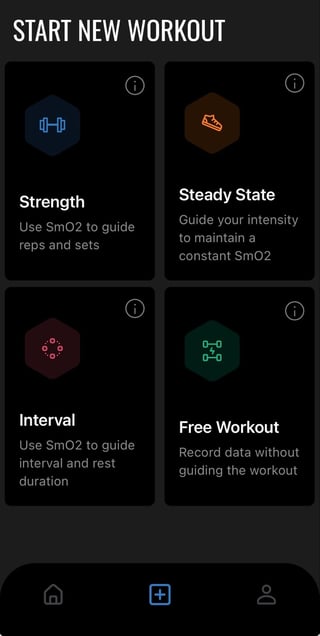
- Click the + button in the bottom of the moxy portal app homescreen
- Select Free Workout
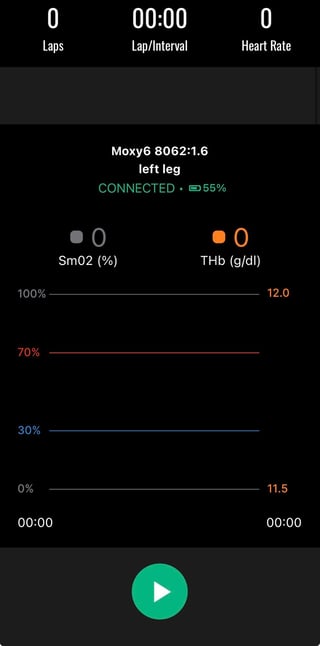
- Scroll to the bottom of the screen and press “play” to begin activity
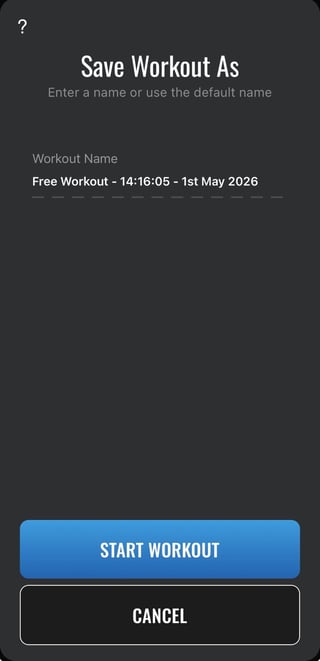
- Name your workout, click start workout
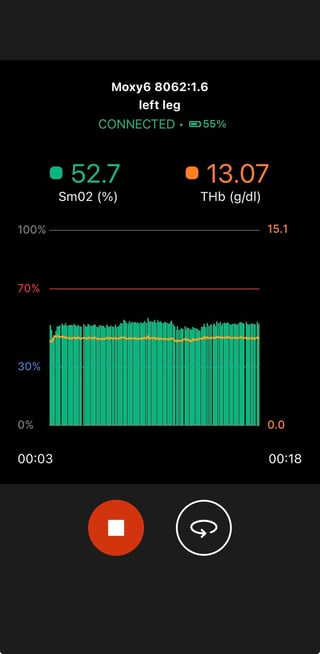
- When your activity is complete click the stop button
- Then you can export the data by clicking “export workout”
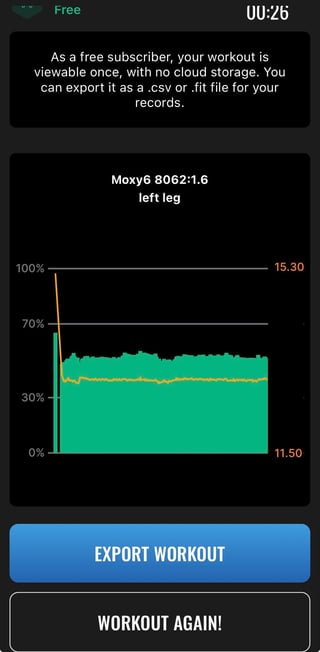
- Select a.csv or a .fit
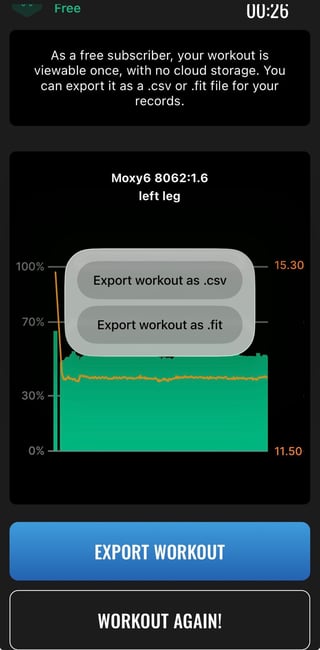
- Then decide how you are going to share it
- Once you are done click workout again
- Please note, if you do not have a premium cloud Moxy Portal account you will lose the data, so make sure to export it
- Click OK to start a new workout/activity/data collection
Important: If you do not have a premium Moxy Portal account, your data will not be saved to the cloud after your session ends. Export your file before closing the app to avoid losing it.
Part 3: Applications of 10Hz Data
High-frequency SmO2 data opens up several use cases beyond what is possible at the standard sampling rate. Here are the most relevant applications:
Mitochondrial Function Assessment - This is the primary reason most users enable 10Hz. The arterial occlusion protocol developed by Ryan et al. uses a series of short blood flow restrictions (as brief as 5 seconds on / 5 seconds off) to measure how quickly your muscles consume and recover oxygen. Capturing that signal accurately requires enough data points within each occlusion window and 10Hz delivers that. The rate at which SmO2 recovers after exercise is a direct index of mitochondrial respiratory capacity.
Sprint and High-Intensity Effort Analysis - At maximal cycling or running speeds, SmO2 can drop rapidly — sometimes within just a few seconds. At 0.5Hz, you can miss much of that kinetic detail. At 10Hz, you can track the rate of deoxygenation during a sprint, observe when the muscle hits its floor, and measure how quickly it recovers when effort stops. This is useful for pacing analysis, fatigue monitoring, and sport-specific power profiling.
Strength Training and Repeated Contraction Monitoring - During resistance training, SmO2 oscillates with each contraction-relaxation cycle. At higher sampling rates, you can observe these within-set oxygen dynamics — tracking how the muscle progressively deoxygenates across a set and how quickly it recovers between sets. This can inform rest interval decisions and provide insight into metabolic demand across different exercise types (concentric, eccentric, isometric).
Cycling Efficiency and Pedaling Mechanics - High-frequency SmO2 data during cycling can reveal within-stroke oxygen dynamics, particularly useful for identifying asymmetries between legs or inefficiencies in pedaling mechanics at different cadences and power outputs.
Post-Exercise Recovery Kinetics - How quickly SmO2 rebounds after a hard effort is a meaningful signal on its own. A faster recovery suggests better local oxygen delivery and mitochondrial function. Tracking this over time — from week to week during a training block — can serve as a practical, non-invasive marker of adaptation.
The common thread across all of these applications is resolution. Standard sampling is adequate for pacing and threshold work. But when the question involves rapid physiological events like brief occlusions, sprint kinetics, set-by-set recovery, 10Hz is what allows you to actually see what is happening.